OIDC Server
The OIDC (OpenID Connect) external source enables SSO-based authentication for administrators logging in to RADKit Service. Instead of relying on RADKit’s built-in user database, RADKit delegates admin login to an external OIDC-compliant identity provider (IdP) such as Cisco SSO, Okta, Azure Active Directory, or any other standard provider.
When a user logs in, RADKit redirects them to the IdP’s authorization endpoint. After successful authentication, the IdP issues tokens that RADKit validates using the provider’s public keys fetched from the discovery URL.
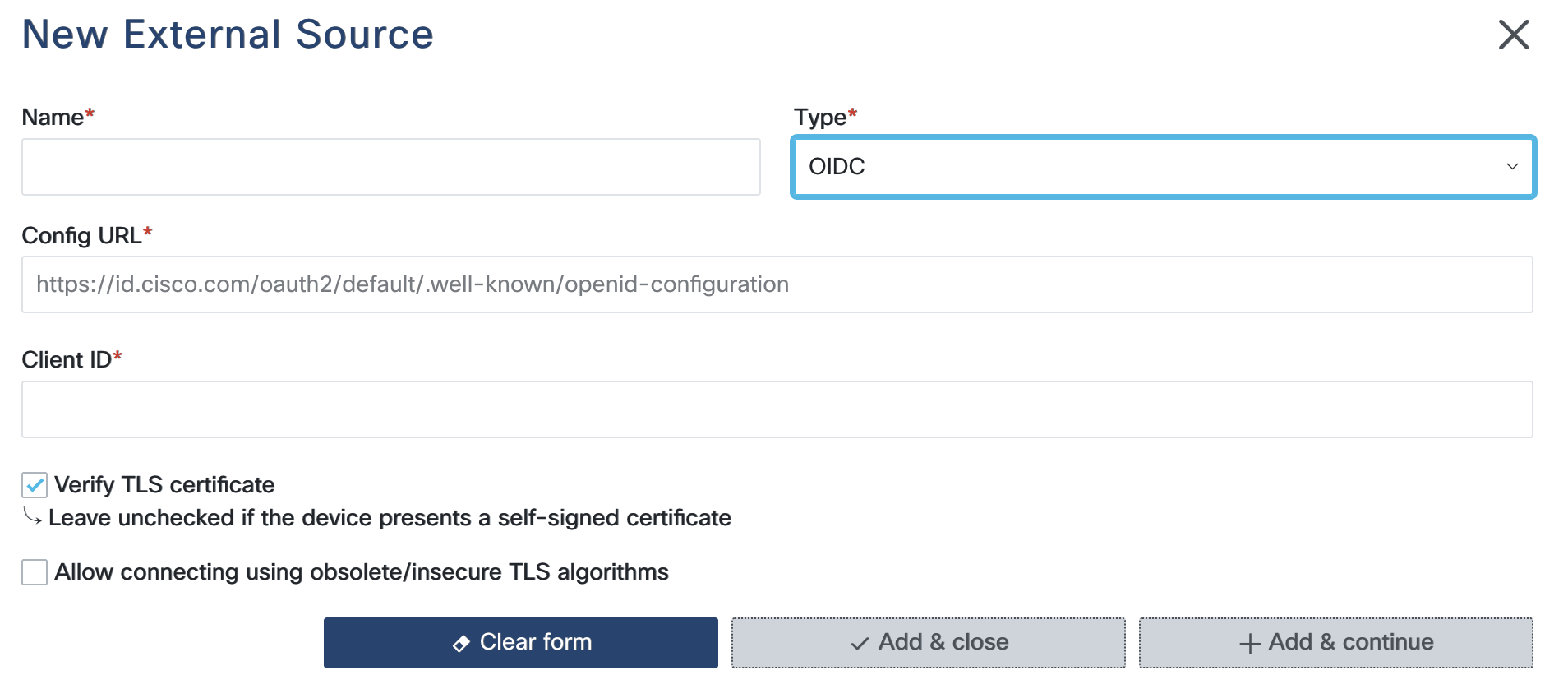
Configuration Steps
Config URL: Enter the URL of the OIDC provider’s discovery document. This is the
.well-known/openid-configurationendpoint of the identity provider, for examplehttps://id.provider.com/.well-known/openid-configuration. RADKit fetches this URL to obtain all other required OIDC endpoints and public keys automatically.Client ID: Enter the client ID issued by the identity provider when the RADKit Service application was registered. The client ID identifies RADKit to the IdP during the OAuth 2.0 / OIDC exchange.
Verify TLS Certificate: Enable this option to verify the OIDC provider’s TLS certificate chain. It is recommended to leave this enabled in production environments. Disable only if the provider uses a self-signed certificate not in the system trust store.
Allow connecting using obsolete/insecure TLS algorithms: Enable this option only if the identity provider requires support for legacy TLS ciphers. Use with caution.
Note
The OIDC external source is used exclusively for SSO-based admin login.
It does not support remote user authentication, nor does it supply device credentials
and cannot be referenced in device YAML configurations with !external.
For device credential retrieval, use Static Credentials, Static Credentials Mapping,
HashiCorp Vault, or CyberArk instead.