Administrator authentication
Local authentication
Administrators can be defined locally in the RADKit Service database, with a username and password. This is the default authentication method for administrators, and it is available out of the box without any additional configuration.
Administrators defined locally are also fitted with a role that defines their permissions in the RADKit Service.
On this screenshot, the administrator “John Doe” is defined locally in the RADKit Service database, with a username and password, and is assigned the role of “sysadmin” (with full permissions in the RADKit Service).
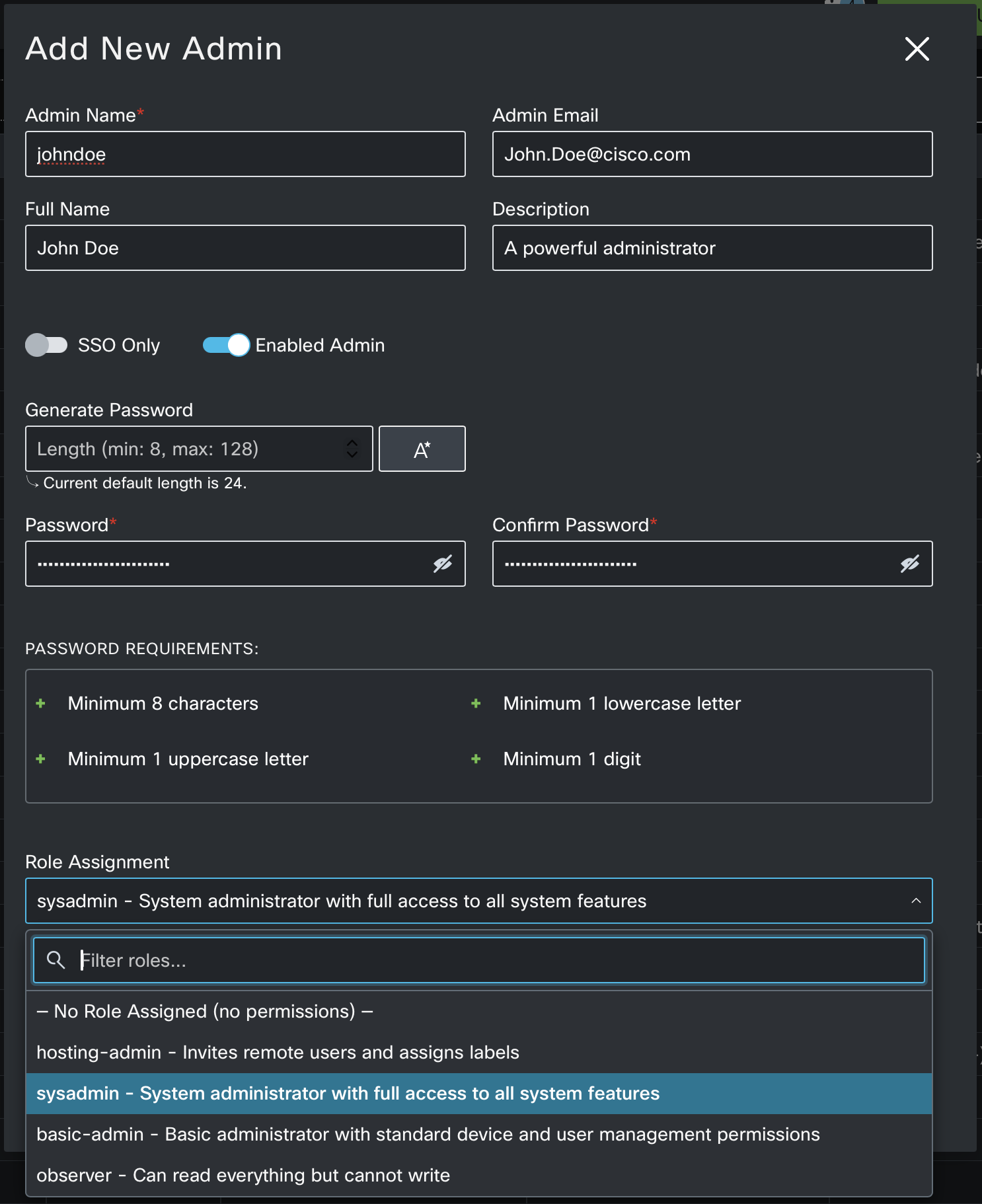
Copy the password, as it will not be shown again, and provide it to the administrator for login. Upon first login, the new administrator will be prompted to change their password.
External authentication
When an external source of type TACACS+ or OIDC is configured in the RADKit Service, then the authentication of administrators can be delegated to the external source. In this case, the credentials of the administrator are stored in the external source and are managed by the external source administrator.
Depending on the type of external source, the Admin Role may or may not be provided (Authorization).
Refer to the external source documentation for more details on how the admin role is determined for each type of external source. See TACACS+ for TACACS+ and OIDC Server for OIDC.