Keyboard Interactive Challenge
The Keyboard Interactive Challenge external source is designed for devices that use SSH keyboard-interactive authentication with multi-factor authentication (MFA). Instead of a simple username/password login, the device sends an encrypted challenge that must be decrypted with an RSA private key and combined with a password before being sent back.
This external source handles the full challenge-response exchange automatically, so no manual intervention is required once it is configured.
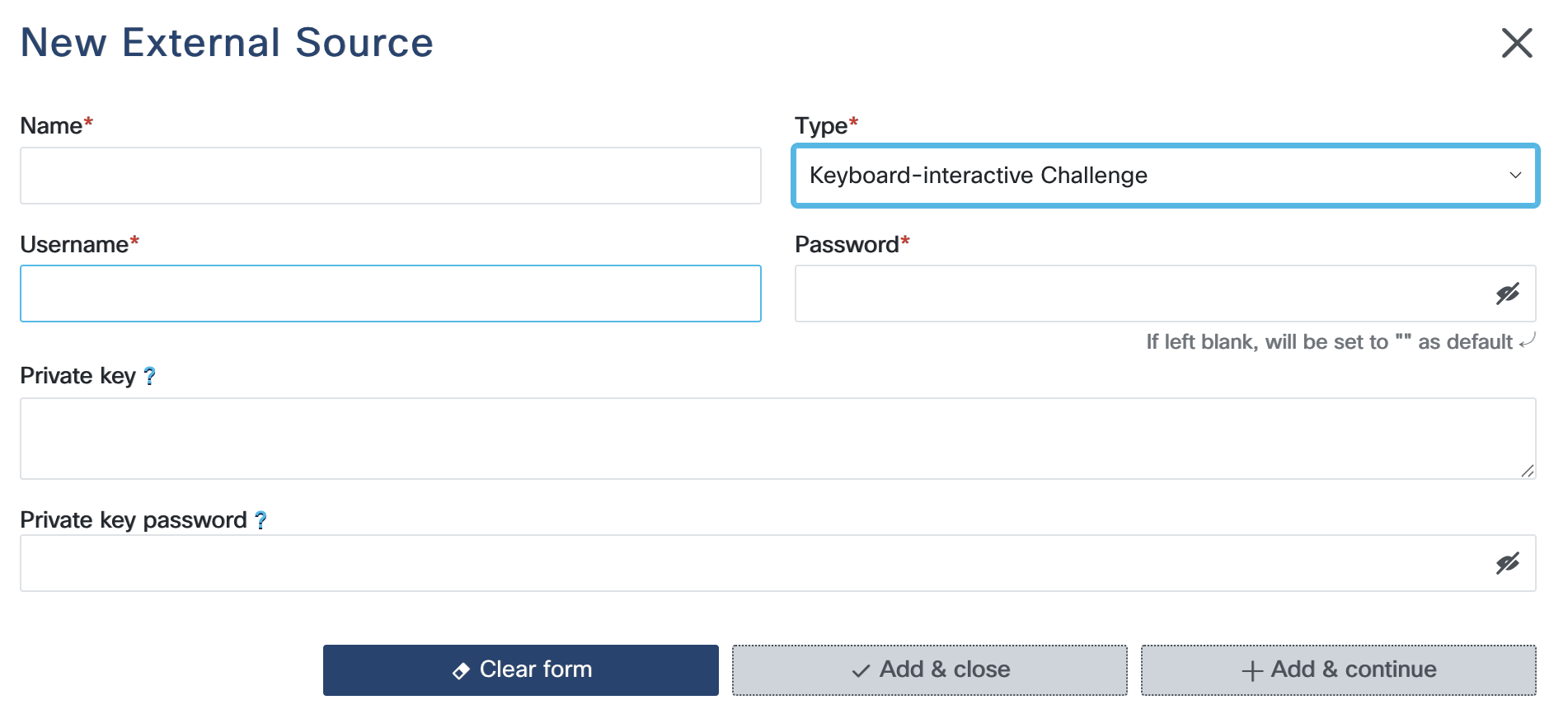
Configuration Steps
Username: The username RADKit Service will use to initiate the SSH connection.
Password: The password appended to the decrypted challenge value when responding to the keyboard-interactive prompt. This is combined with the decrypted challenge as:
<decrypted_challenge><password>.Private Key: The RSA private key (in PEM or OpenSSH format) used to decrypt the challenge sent by the device in the SSH authentication banner. The key can optionally be encrypted with a passphrase (strongly recommended).
Private Key Password: If the private key is protected by a passphrase, enter it here. Leave empty if the key is unencrypted.
Note
The private key passphrase is not stored by RADKit. Upon saving, RADKit uses the passphrase to decrypt the private key and then re-encrypts it using RADKit’s own internally generated encryption key. The passphrase is discarded immediately after this one-time operation and is never persisted.
Note
This external source only supports the terminal (SSH) protocol. It cannot be
used for Netconf, SNMP, HTTP/REST, or other protocols.
Usage
Because the external source provides both the username and the SSH client callbacks
needed for challenge-response, the entire terminal block should be populated using
!combine:
terminal: !combine
  - !external
    name: <name_of_external_source>
    use: username
This merges the username and the keyboard-interactive callback handlers returned
by the external source directly into the terminal configuration.
Alternatively, you can reference individual fields using !external-key (which
automatically selects the field matching the parent key name) or !external with an
explicit use: parameter:
terminal:
  username: !external-key <name_of_external_source>
Or equivalently:
terminal:
  username: !external
    name: <name_of_external_source>
    use: username
Note
The SSH client parameter callbacks (which handle the challenge-response exchange)
are only injected when using the !combine form. The per-field forms above only
retrieve the username value and do not set up the MFA handling. Use
!combine to ensure the full keyboard-interactive flow is activated.