HashiCorp Vault
Integrating HashiCorp Vault with RADKit allows you to securely access your secrets.
Here is how you can get started:
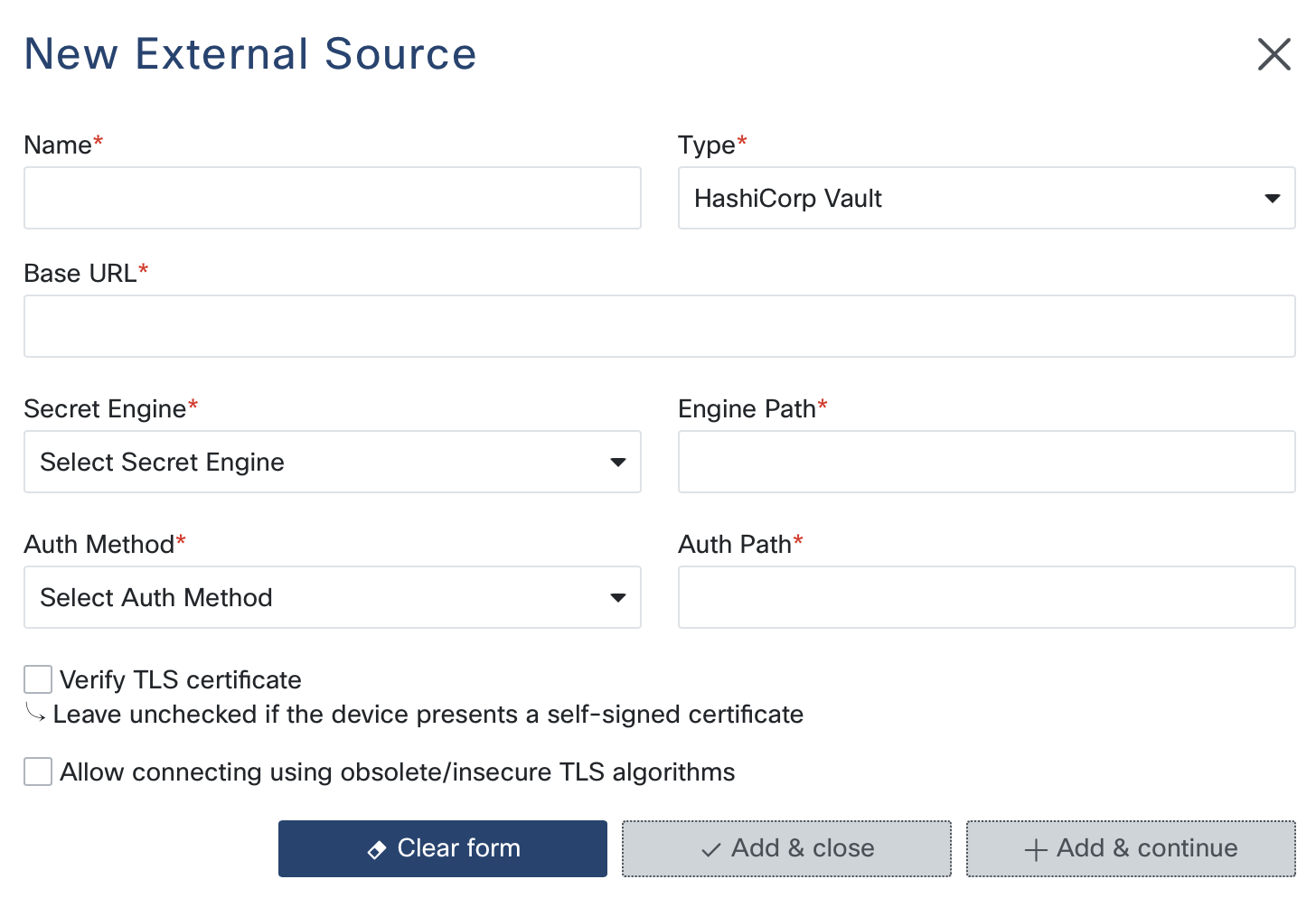
Configuration Steps
Base URL: Provide the base URL of your HashiCorp Vault server. This is the primary endpoint for API interactions. Ensure the URL is correct and accessible from your network.
Secret Engine: Select the secret engine type you want to use:
Cubbyhole: Used for storing secrets in a private, per-client space.
KV v1: The first version of HashiCorp Vault’s key-value store.
KV v2: An enhanced version of the key-value store with support for versioning.
Engine Path: Specify the path for the secret engine. This is the location within the Vault where your secrets are stored. Default paths are available based on the selected secret engine:
Cubbyhole: Defaults to /cubbyhole/
KV v1 and KV v2: Defaults to /secret/
Auth Method: Choose the authentication method for accessing Vault:
Token: Use a pre-generated token for authentication. This method is straightforward and requires a token with appropriate permissions.
AppRole: Use an AppRole to authenticate. This method involves providing a Role ID and a Secret ID.
Auth Path: Enter the path for authentication. This path is used to authenticate the client against the Vault server. Default paths are set based on the chosen authentication method:
Token: Defaults to /token/
AppRole: Defaults to /approle/
Token/Role ID/Secret ID:
If using Token authentication, provide the token value.
If using AppRole authentication, provide the Role ID and Secret ID.
Verify TLS Certificate: Check this option if you want to verify the Vault server’s TLS certificate. It’s recommended to enable this in production environments to ensure secure communication.
Use Insecure TLS Algorithms: Enable this option if your Vault server requires support for outdated or insecure TLS algorithms. Use this option with caution.
Note
Ensure that the Vault server is configured with the necessary policies and permissions to allow the RADKit Service to access the required secrets.
Usage
To retrieve a specific secret from HashiCorp Vault, reference the external source by name in the YAML configuration, including the secret’s path:
terminal:
  password: !external
    name: <name_of_external_source>
    values:
      path: <secret_path/key>